Product tour
From moving URL to accountable decision.
You do not need to wait for a document to change. Current Terms Brief explains supported automatically captured public text, cites preserved passages, and raises questions for an initial human review.
A brief is AI-assisted, may be incomplete or incorrect, and does not establish which terms govern. Initial review is separate from review of a later change.

See the workflow
See what SaaS Tracker does—in 5 minutes.
Understand existing terms, review later changes, and give your team a clear next step.
Fictional demonstration · Simulated activity · AI-generated narration
Trial terms: No payment method required. Your 30-day Essentials trial starts when your organization workspace is successfully created. No charge and no automatic conversion. At or before expiry, an authorized organization representative may choose any available paid plan and complete checkout; paid access begins only after verified payment. Otherwise, active service stops and the workspace becomes read-only under the Terms and Data Export and Deletion Procedure. One trial per eligible new organization.
Read the five-minute video transcript
Your product depends on their terms
Your vendor’s terms can change. Your team needs more than an email to know what changed, which part of the business it affects, and who should review it. This five minute fictional demonstration shows how SaaS Tracker helps, starting with the terms already in place. No customer account is affected.
Connect a source to its business context
Trellis Maps is a fictional API supporting a customer facing location feature. Its source record connects the developer terms to that feature, explains the relationship, and shows the monitoring method. Version three is already captured. We do not have to wait for version four to ask a useful business question.
Value before a document changes
Explain sample terms reveals a prewritten Current Terms Brief. It separates the provision, its potential relevance, and a question for human review. In this example, the existing terms include two million calls per month and refer to an overage rate published elsewhere. Finding that missing rate is useful work today, even if the document never changes during the trial.
Go back to the source
Passage S one opens the exact sample wording behind the explanation. A citation is a starting point for checking an interpretation, not a substitute for reading. This single passage does not establish the complete agreement or prove which terms apply. AI assisted explanations can be incomplete or wrong.
Give the initial question an owner
Assign the initial review to Jordan Lee. Revealing a brief did not complete a review. An owner must consider the source and record a disposition. We will switch the simulated perspective to Jordan so the prepared review can be recorded. This handoff stays separate from the change review queue.
Initial review is not a change event
Jordan records the initial review and follow-up. The activity appears in the initial review history, but no new document version or change event has been created. The business has already gained a concrete question, an owner, and a record of the review before any later change appears.
A later change starts a separate review
Now we reveal a later sample change. Version four reduces the monthly allowance from two million calls to seven hundred fifty thousand and introduces a throttling or suspension right. That creates a separate change review. The potential business effect depends on actual usage and the applicable agreements.
Compare before and after
The complete brief puts the before and after passages side by side. R one identifies the removed wording; A one identifies the added wording. This lets engineering and the business reviewer inspect the basis for the potential impact. A wording change alone does not prove that the new term applies to this customer.
Add an owner and a deadline
Give this later review its own owner and deadline. We assign Jordan and choose a date three days ahead. The initial review remains separate. Clear ownership helps a team decide who needs to investigate usage, contact the provider, or bring in legal review, rather than leaving the alert without a next step.
Preview the handoff
The simulated notification shows the assigned reviewer, subject, due date, and change summary. No email is sent. It illustrates the communication handoff while keeping this recording completely separate from customers, real messages, and live operational work.
Record the decision and follow-up
Jordan records the prepared decision and follow-up. A completed review is not the same as eliminating the underlying business risk. The note should explain the actual disposition and any remaining work. The history keeps the initial review and later change review distinct.
Keep the sequence understandable
The activity history shows the sequence of assignments and decisions. Returning to the queue shows that this review is no longer open. That is the complete story: understand existing terms, inspect a later change, give it an owner, and record a human decision.
Use ST where you already work
Prefer working in ChatGPT or Claude? SaaS Tracker is available through both platforms. Connect the workspace you choose, then review saved briefs, cited evidence, and pending changes in your AI conversation. Available tools depend on your role and permissions.
Choose your first sources and reviewer
Which existing vendor terms would your team most want to understand first? Explore SaaS Tracker through the thirty day, no card Essentials trial. A paid subscription does not begin automatically. Start with the terms already in place, then keep their later changes reviewable. Visit SaaS Tracker dot co.
Interactive product demonstration
Understand existing terms. Then review a change.
Use a fictional and simulated Fescue Technologies demonstration. Reveal a prewritten Current Terms Brief, open its cited passage, then run a sample check to explore a separate change review. It retrieves no real source, makes no AI request, saves nothing, and is not evidence.
Try the interactive demo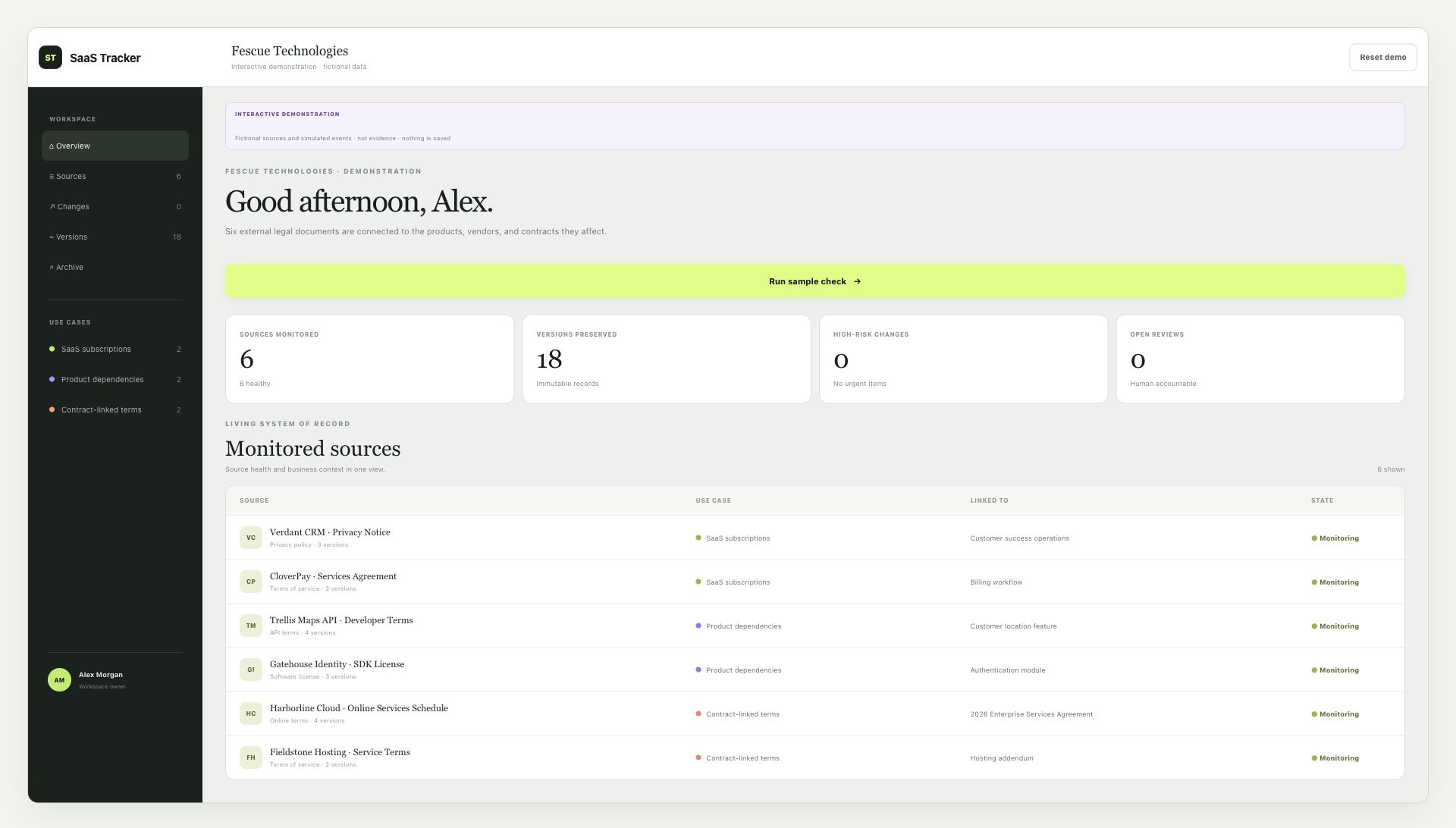
See six fictional sources organized across SaaS subscriptions, product dependencies, and contract-linked terms.
Download high-resolution image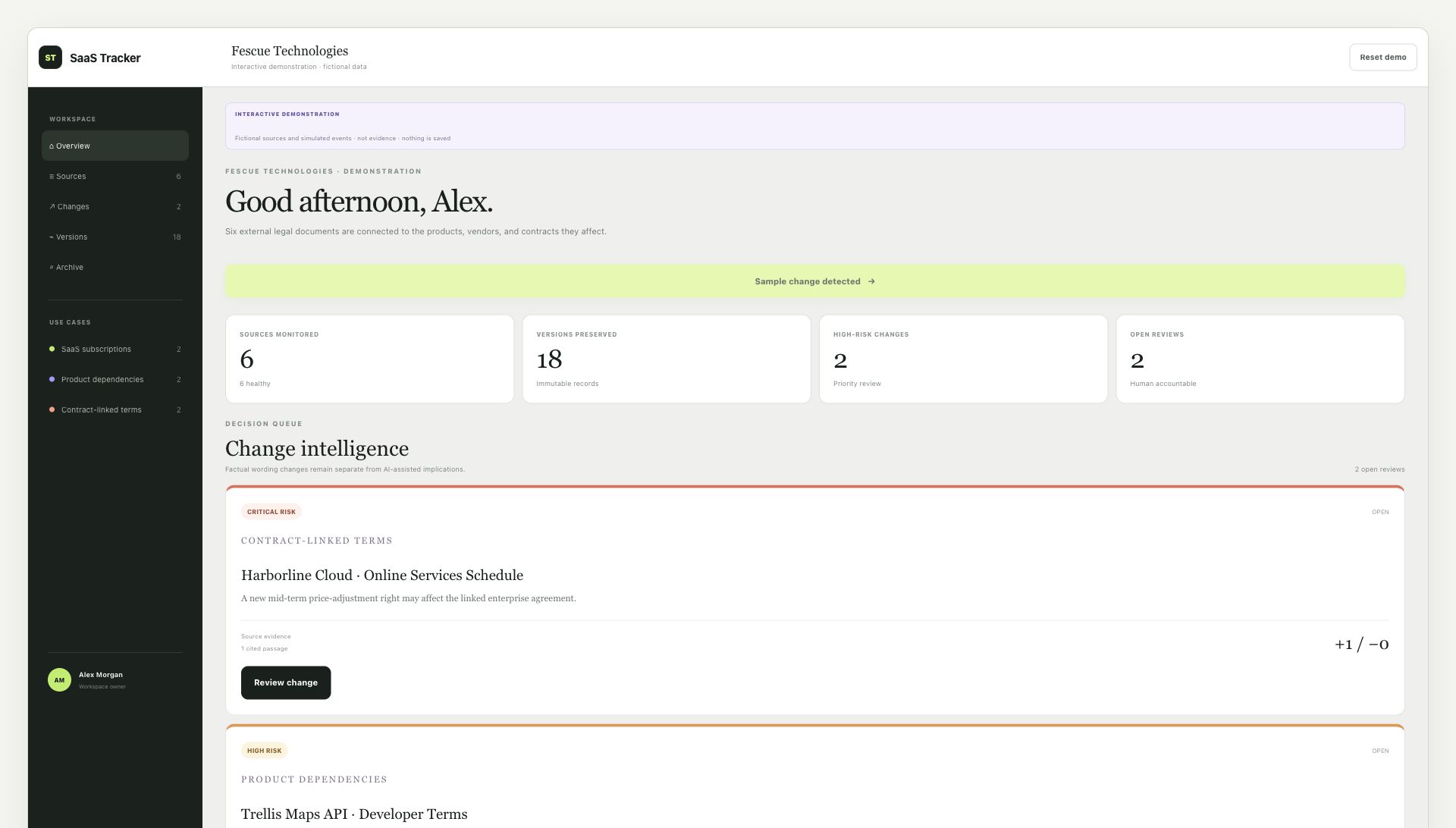
See detected changes prioritized by risk, source evidence, and business context before review begins.
Download high-resolution image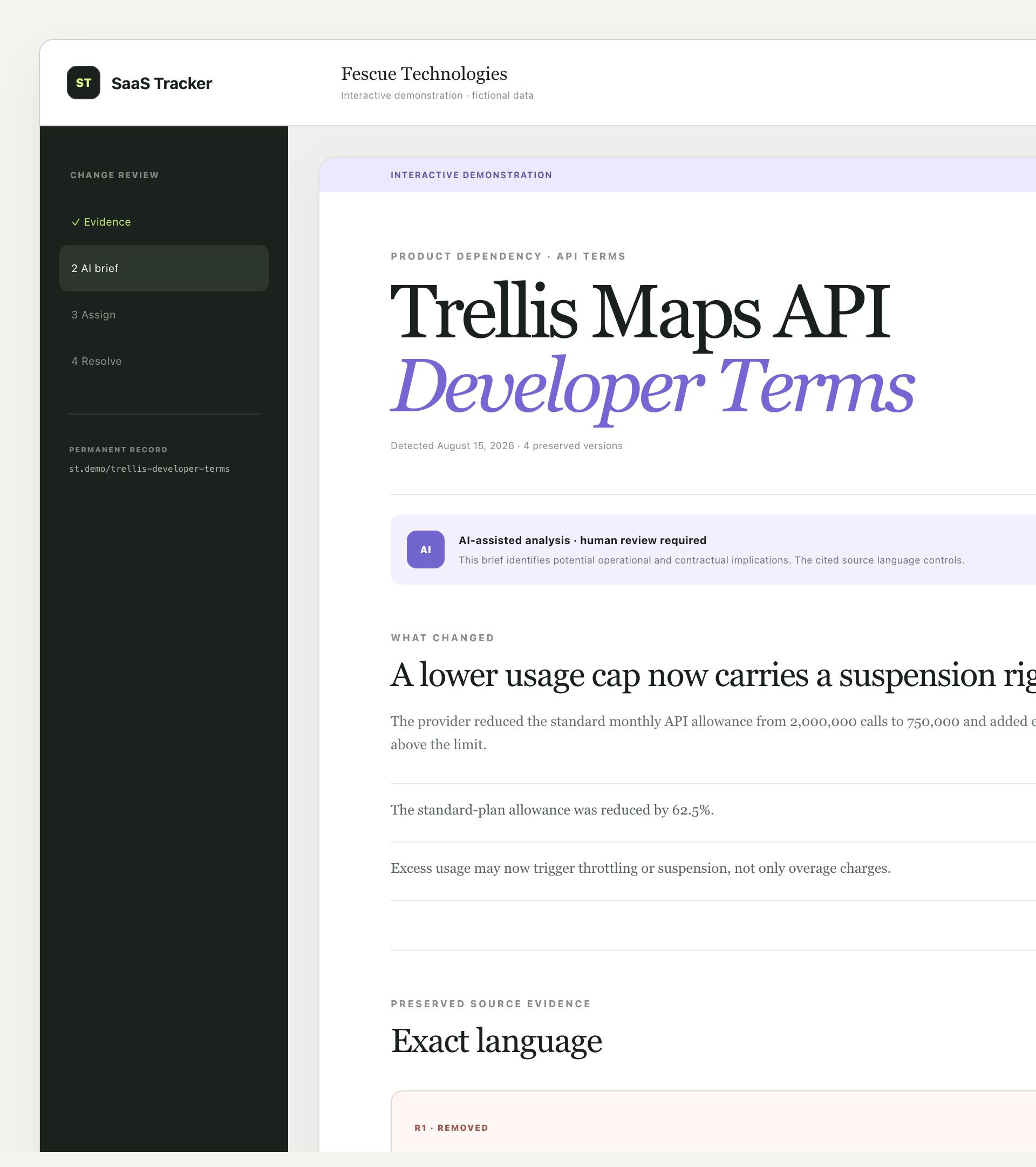
See retrieved additions and removals, a cited AI-assisted potential-impact brief, recommended questions, and customer-designated human-review controls.
Download high-resolution imageHow SaaS Tracker works
Follow one source from registration to decision.
Select a step to see the work and its outcome. The full workflow stays available without presenting every explanation at once.
Current step
Register
Save the document URL and connect it to a vendor, dependency, product, or contract.
Three use cases, one system
Track vendor terms, product dependencies, and contract-linked documents together.
- Durable source records and retrieved versions
- Current Terms Brief with cited public-text passages and initial human review
- Source-aware comparisons and cited AI-assisted potential-impact briefs
- Assignments, deadlines, digest recipients, and audit history
- CSV onboarding, API credentials, searchable archives, and full exports
Start with your own sources
See the workflow with the documents your business relies on.
Create a private organization workspace and use guided first-source setup.
Trial terms: No payment method required. Your 30-day Essentials trial starts when your organization workspace is successfully created. No charge and no automatic conversion. At or before expiry, an authorized organization representative may choose any available paid plan and complete checkout; paid access begins only after verified payment. Otherwise, active service stops and the workspace becomes read-only under the Terms and Data Export and Deletion Procedure. One trial per eligible new organization.